Primary Download - Size: 1.10 MB Source: www.formulasoft.comFile Ping Time (less is better): 514 ms Secondary Download - Size: 2 KB Source: www.formulasoft.comFile Ping Time (less is better): 483 ms
Secondary Download - Size: 2 KB Source: www.formulasoft.comFile Ping Time (less is better): 483 ms
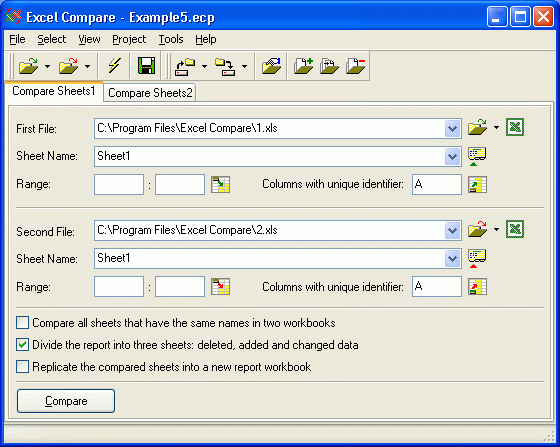
Full Description: Track differences and compare Microsoft Excel files and spreadsheets with Excel Compare. Did you ever have an Excel spreadsheet that was edited and updated by several people? Was it a headache to figure out the differences between the files, and insert just the most recent entries into the final spreadsheet? Excel Compare saves your time by eliminating the routine operations, and improves the final result by telling you exactly what and where has been changed. No more missed changes or forgotten updates thanks to clear highlight of every little difference between the sheets of data! Excel Compare supports all versions of Microsoft Excel, and conveniently creates a difference report as a new Excel sheet. It supports comparing the sheets that contain database structures, and correctly processes data that does not have unique identifiers. Excel Compare treats inserted rows and columns in a correct manner, reporting that a row or column has been added or removed, without creating the visual clutter of multiple raw-to-raw or column-to-column changes. Updated cells will be highlighted, allowing you to synchronize changes between the two sheets of data. Are you looking for a specific change in a spreadsheet? You can easily add macros to your report workbook that will highlight just the changes you need. If you have multiple excel spreadsheets to compare, Excel Compare will take the two folders and process all Excel files, creating single difference report for all spreadsheets. For a more complex task, such as a comparison of multiple folders, Excel Compare can be run in batch mode from a command line, taking command line parameters.
Keywords: excel, compare, file, spreadsheet, worksheet, sheet, workbook, range, cell, software, utility, comparison, document, find, difference, business, analysis, report, changed, added, removed, deleted, microsoft